Welcome to Sulphur Crested Secretary!
My name is Drew and I am a wildlife carer in Lake Macquarie, Australia. I have made this website for all the wildlife carers out there to help manage your animals in care and streamline reporting without the cumbersome spreadsheets!
If you are new to wildlife rescuing and want to understand what the data reporting is all about, start with the introduction section (click here)
Table of Contents
Videos
- Introduction
- Creating and Editing Animals
- History and Exporting
- Latitude and Longitude
- HWR members can ask for help on the "Q&A HWR" Whatsapp Group.
Introduction to Wildlife Reporting
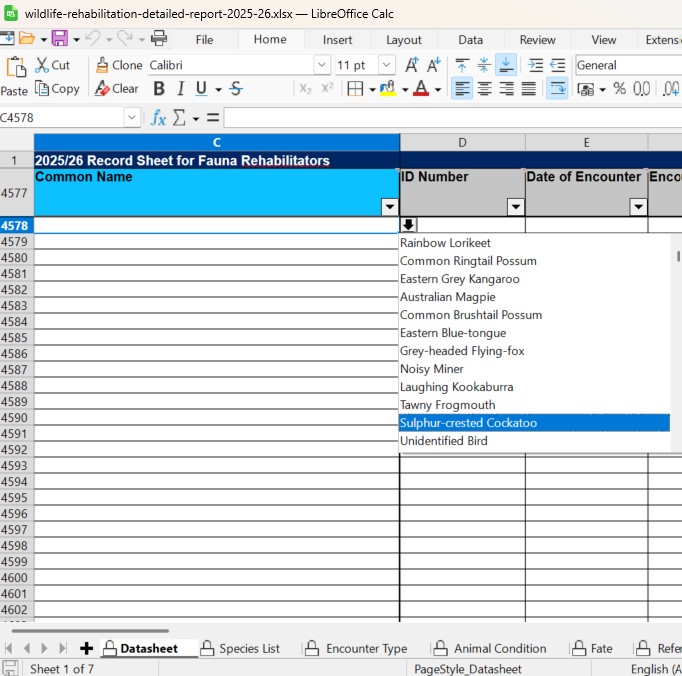
The NSW Government regulates wildlife rehabilitation in NSW. As part of your obligations as be a wildlife rescuer/rehabilitator you undertake to report data on wildlife you interact with. This data ultimately guides government policy, scientific research and wildlife funding
A carer/rescuer does not directly report to the Government, your rehabilitation organisation (for example mine is Hunter Wildlife Rescue) will gather the data from all it's members and do a single bulk report every financial year. So your organisation sets your reporting requirements to them, typically this is more frequently (i.e. once a month) so as to avoid an overwhelming amount of work for the data coordinator all at one time.
The relevant Govt depeartment releases an official spreadsheet every year, this is the same spreadsheet your organisation will provide you to fill out for your wildlife. Click these links to see information directly on the Dept. of Environment website
- Spreadsheet and Instructional Videos (not all applies to carers)
- Video Spreadsheet Instructions (if you watch anything, watch this)
- Reporting Instructions Guidebook (including what each column means)
- Dashboard for all previous years data
So every month (or timeframe requested by your rehabilitation organisation), you fill in that spreadsheet and send it off to your data coordinator email address.
So why this website?? Well many people find spreadsheets difficult, especially with mobile devices, and the spreadsheet is missing many features a wildlife rescuer/carer would reasonably want - such as a mobile friendly interface, access from different devices, GPS locations, progress notes, ability to transfer animals among other things. So I have created this website to fill this need.
So this website provides a (hopefully) better experience in the day to day recording of your wildlife, and at the end of every month allows you to simply press a button to download the official spreadsheet already filled in with your animals, which you then send off to your data coordinator!
So as you can see, you are still completing your reporting obligations as the Government requires, but using a much friendlier system to do so. As a carer myself, I have no doubt you will find this easier. Having said that, if you love spreadsheets and you dont need any of the features on this website, you simply do not need to use it! This is an adjunct made with love by wildlife carers, not official and not a replacement.
Sulphur Crested Secretary Homepage
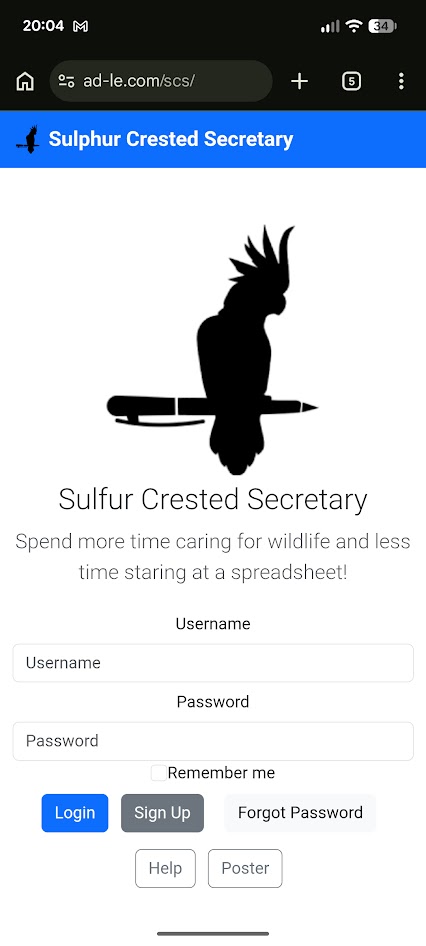
You are greeted with the homepage whenever you aren't logged in. Either login or signup. For signing up see "Signing Up/ Updating Details Heading".
Mobile users can add a shortcut to their home screen for easy access. See instructions for apple here or android here
Test Login
To get a feel for the website and learn how it works before you sign up, you may use the login sandbox@test.com with password password.
This login will reset every night and all associated data deleted, so be sure to sign up yourself before recording actual animal information!
Signing Up
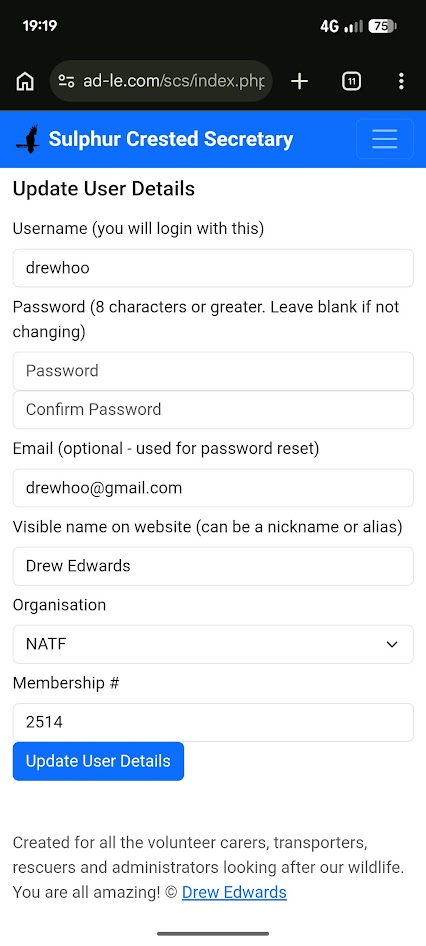
Membership is always free. A couple of things to note:
- The screen is identical whether you are creating a new account or updating your user details
- Your email address is only ever used if you forget your password, or for me to reach out if you join from a new rescue organisation.
- Your "visible name" is visible to other users, so only use a name/alias you are comfortable with others seeing.
Dashboard
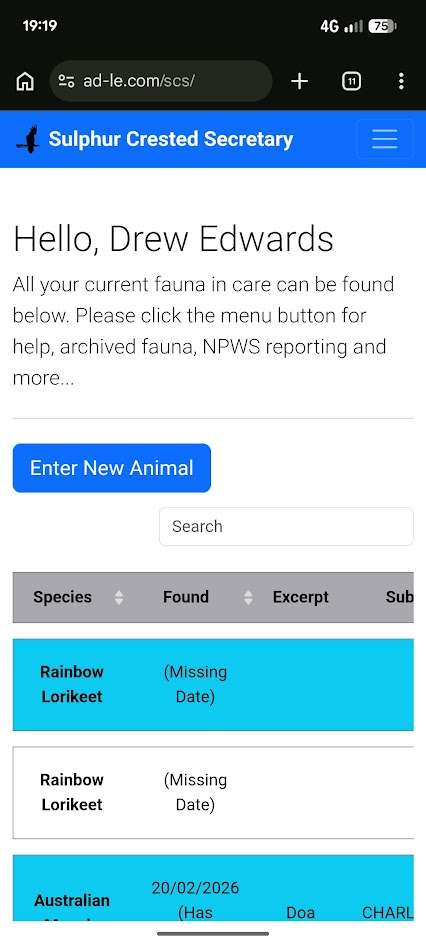
The dashboard shows you all animals you currently have in care, and has a button to create new animals. There is also a search box (top right) to filter visible animals. Click each animal to view and update their specific details.
You will also see a menu button at the top right to access other functionality described below.
To remove an animal from your dashboard you can archive it (see "Creating and Editing Wildlife" heading).Creating and Editing Animals
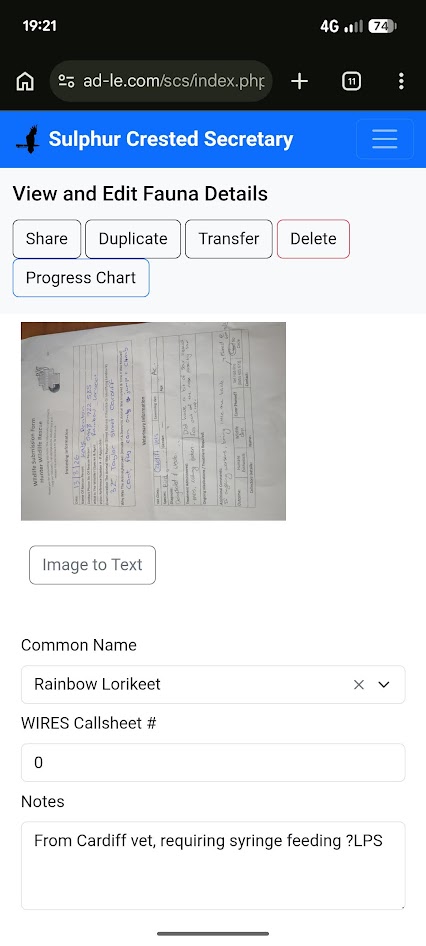
This page shows information on a single animal. Make sure you press save when you are finished!
While plenty of the fields here align with NPWS reporting, there are many other new useful tools for carers. These include:
- Upload a picture or take a photo - such as an xmatters screenshot, or paper form from a vet
- Use your phones GPS or map for capture and release location
- View progress notes to track day-to-day care
- Transfer the animal another carer
- There is no notification, please contact the carer prior to doing so
- The organisation of both carers must be the same (account settings)
- If transferring to someone not on the site, you can send them url, set the fate to in-care and archive
- Archiving an animal simply removes it from your homepage, you will still see it in your exporting and history
- Image to text is useful when you have uploaded an xmatters screenshot and want to copy the text from it straight across
- Copy encounter data gives you a formatted text box to copy animal details into an email or text if required.
Animal Progress Notes
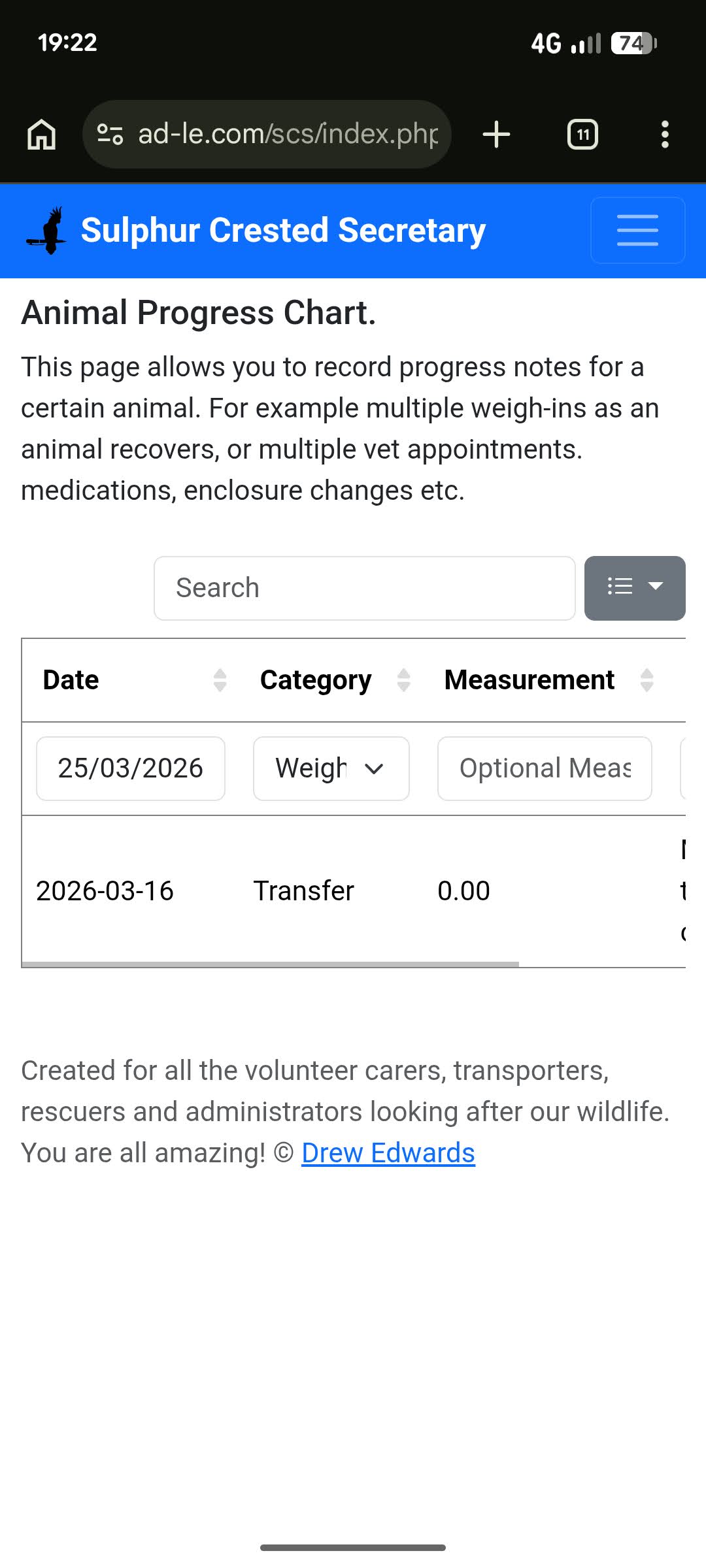
Simple page to create date-recorded progress notes. For example where you want to track progressive information such as animal weight, multiple vet appointments, enclousure movements etc. This is all entirely optional to use, and is not reflected in the NPWS Fauna Data.
Exporting NPWS Spreadsheet
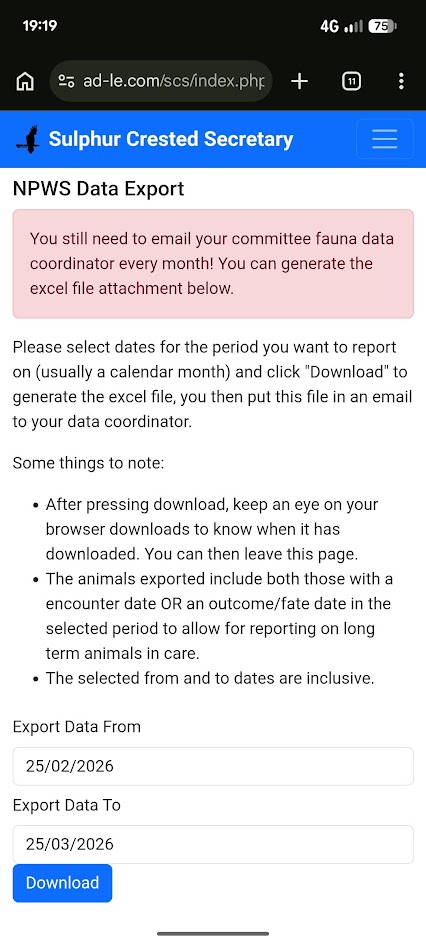
You still need to export the spreadsheet and send to your fauna data coordinator every month
The main purpose of this page is to download your animals in the format of the official NPWS Fauna Data Spreadsheet which you will then provide to the data coordinator monthly. Choose a date range and press "Download".
All animals that have either a encounter date or a fate date within those periods will be downloaded. This is to allow for animals spanning multiple data reporting periods.
Viewing Animal History
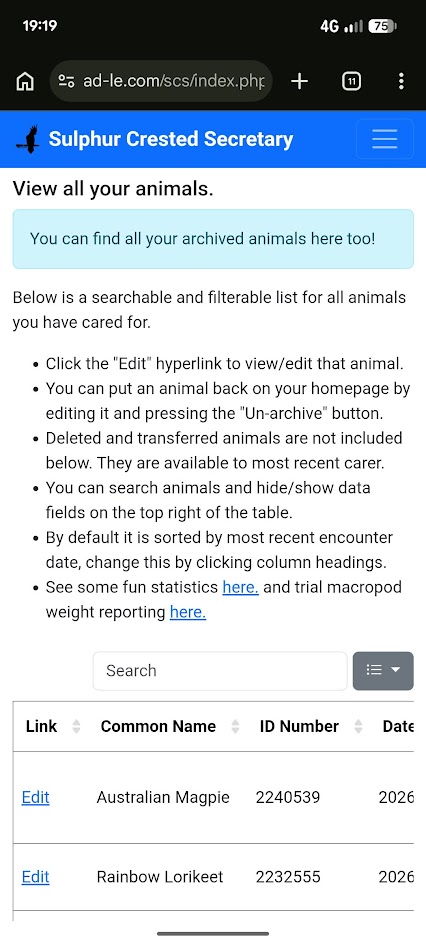
This history page shows a table of all animals currently and previously in your care. You can access archived animals from here too. The table is interactive, click the columns to sort, enter keywords in the search box to search, and click the drop down menu box to hide and show other animal data columns.